
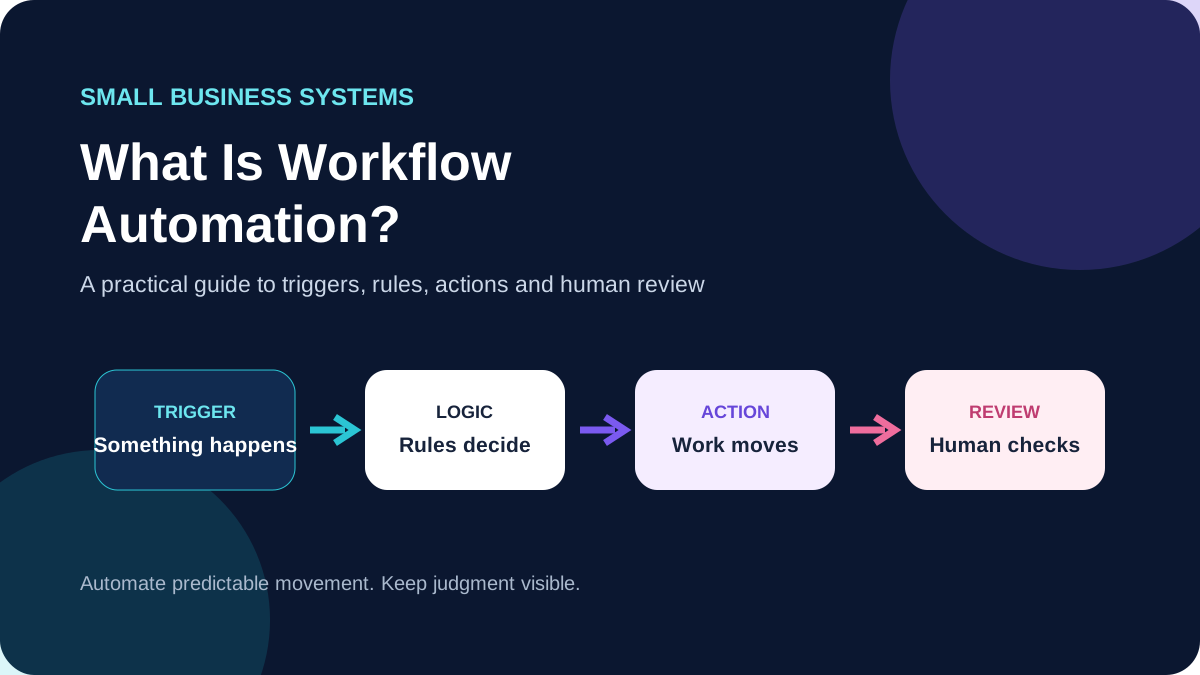
Workflow automation uses software to move repeatable work from one step to the next based on defined triggers, rules and actions. For a small business, that can be as simple as sending a form submission to the right tracking sheet and notifying the person responsible, or as structured as moving a qualified inquiry through several systems with a human approval before anything customer-facing is sent.
The goal is not to automate everything. A useful workflow removes repetitive handoffs while keeping judgment, exceptions and sensitive decisions visible to people.
What workflow automation actually means
Most business processes contain a sequence: something happens, information is checked, a task is assigned, a record is updated, someone reviews the result, and the next action begins. Workflow automation connects some of those steps so they do not depend on a person remembering every transfer.
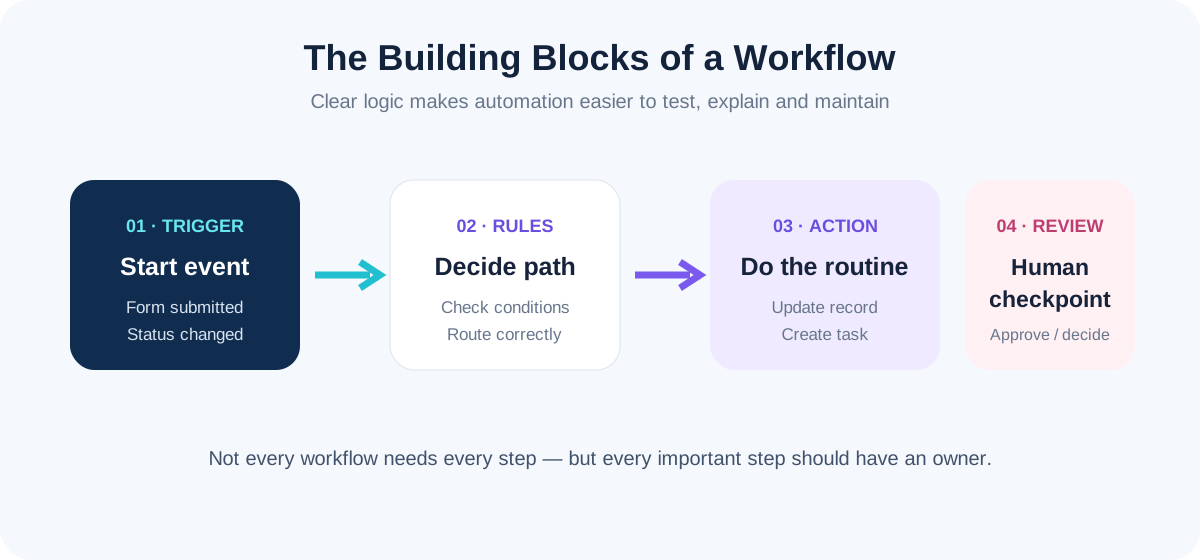
A typical workflow has four building blocks: a trigger that starts the process, rules that decide what should happen, actions that complete repeatable work, and human checkpoints where context or approval is required.
Small-business tasks that are good candidates for automation
The best candidates are usually repetitive, rule-based and frequent enough that manual handling creates friction. Examples include:
- Routing website inquiries to the correct person or task list.
- Copying approved form data into a CRM, spreadsheet or project system.
- Creating internal tasks when a defined status changes.
- Sending reminders when a deadline or follow-up date is reached.
- Logging recurring operational data for reporting.
- Notifying a team when an order, booking, payment or request reaches a defined stage.
- Preparing information for human review before a customer-facing action.
A task does not become a good automation candidate simply because software can perform it. The process should first be clear enough to describe in plain language.
What should usually stay human
Automation is weaker when a step depends on nuance, negotiation, unusual circumstances or accountability. Human review is especially useful for sensitive customer communication, financial decisions, exceptions, quality approval and situations where the available data may be incomplete.
A well-designed system can still assist those steps. It can gather the information, prepare a draft, create a task and notify the reviewer without making the final decision itself.
A practical workflow automation example
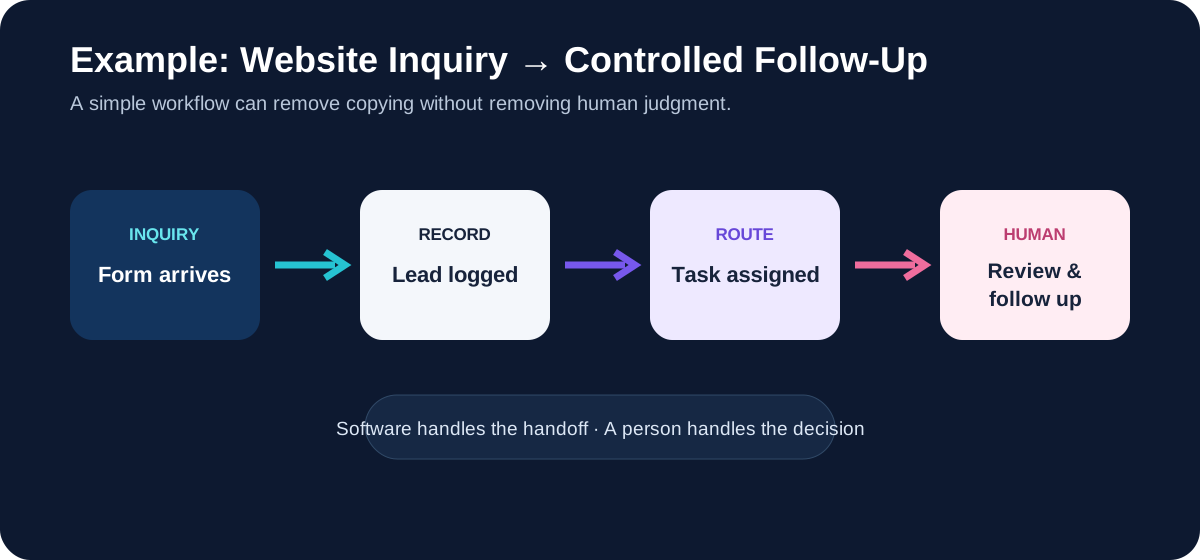
Imagine a small service business receiving inquiries through its website. Without a workflow, someone may open the email, copy the details into a spreadsheet, create a task, notify a salesperson and later remember to follow up.
A controlled workflow could capture the approved form fields, add them to the lead record, assign a task based on the selected service, notify the responsible person and wait for human review before any personalized response is sent.
Five steps before automating a business process
1. Map the process as it works today
Write down where the process starts, which tools are involved, who owns each step, what information moves between systems and where delays or repeated entry occur.
2. Simplify before you automate
If a process has duplicate approvals, unclear ownership or unnecessary data entry, automating it may only make the confusion happen faster. Remove avoidable steps first.
3. Define the source of truth
Decide which system owns each important piece of information. When several tools can edit the same field without clear ownership, conflicts become harder to diagnose.
4. Identify exceptions and review points
Ask what happens when data is missing, a condition is not met, an app is unavailable or a person needs to intervene. Good workflows make these paths visible rather than assuming every run will be perfect.
5. Test and document before relying on it
Test normal cases and realistic exceptions. Record the trigger, connected systems, important field mappings, review points and who should be contacted when something changes.
Workflow automation vs AI workflow automation
Traditional workflow automation follows defined logic: when a known event occurs, perform a known action. AI-assisted workflows can add tasks such as classification, summarization or drafting where the output is less deterministic.
That does not mean every workflow needs AI. If a simple rule can reliably route a form or update a record, adding an AI step may increase cost and complexity without improving the result. AI is more useful when the workflow must interpret unstructured information, while human review remains appropriate for important outputs.
Common workflow automation mistakes
- Automating a broken process. Software cannot fix unclear ownership or poor process design by itself.
- Building one giant workflow. Smaller, understandable workflows are often easier to test and maintain.
- Ignoring failure paths. A workflow needs a plan for missing data, expired access, changed fields and failed actions.
- Removing every human checkpoint. Some decisions should remain deliberate.
- Using unclear names. Future maintenance is easier when steps, fields and connections are understandable.
- Skipping documentation. A system becomes fragile when only its original builder knows how it works.
How to decide whether automation is worth it
Look at frequency, time spent, error risk and business impact. A task performed once a year may not justify a custom workflow. A ten-minute handoff repeated dozens of times each week may be a stronger candidate.
Also consider maintenance. Connected apps change, permissions expire, fields are renamed and business processes evolve. The value of automation should outweigh both the initial build and the effort required to keep it healthy.
What a maintainable workflow should include
A practical system should have clear ownership, readable naming, documented dependencies, visible review points and a way to identify failures. It should also be possible to explain what the workflow does without treating it as a black box.
This is why KatVerra's approach to automation and workflow support starts with mapping the process before building it. The objective is not maximum automation; it is a controlled workflow that reduces repetitive work and remains understandable as the business changes.
Workflow automation FAQ
Do I need expensive software to automate a workflow?
Not necessarily. Cost depends on the apps involved, task volume, required integrations and workflow complexity. Some simple processes can use existing features or entry-level automation plans.
Can workflow automation replace employees?
Workflow automation is better understood as a way to reduce repetitive handling. Many processes still need people for judgment, communication, exceptions, quality control and accountability.
Can I automate between tools I already use?
Often, but compatibility depends on the integrations, APIs and access provided by those tools. A workflow should be mapped against the actual software stack before assuming a connection is possible.
What happens when an automation breaks?
That is why logging, naming and documentation matter. When a field, permission or connected app changes, a documented workflow is easier to diagnose and update.
Start with one repeated process
You do not need to automate an entire business at once. Choose one repeated process with clear inputs and an obvious handoff, map it carefully, and measure whether the workflow actually reduces manual work.
If you want help mapping and building that process, explore KatVerra's business automation and workflow support. We focus on practical no-code workflows, testing, documentation and human review points rather than automation for its own sake.